press-id-badge
🧪 Sandbox for Testing
The Press ID Badge extension was originally designed to support decentralized identities for authors and journalists, enabling them to establish clear ownership of newsworthy content. Beyond content attribution, this extension also functions as a decentralized Single Sign-On (SSO) system—providing a secure alternative to traditional username-password authentication.
The public/ directory in this repository serves as a testbed for:
- ✅ Verifying the browser extension’s installation and messaging workflow.
- 🔐 Evaluating authentication flows powered by Verifiable Credentials and DIDs.
- 🧬 Prototyping different login implementations using the extension as an SSO layer. Decentralized identities used with this extension can be created using:
- Veramo, a pluggable framework for DID and VC management.
- VerifiedPress CLI — install via
npm i -g @verifiedpress/verifiedpress-clito issue, inspect, and validate credentials aligned with VerifiedPress.org (or used on your own verification platform). This sandbox is ideal for testing across multiple origins, simulating credential issuance and selective disclosure, and validating login logic without coupling to centralized identity providers.
Quickstart
- Install the PHP CLI, make sure php executable is int your path.
- Clone this repository and change to the public/ directory
- Start the PHP development server from this directory,
php -S localhost:8082 -t . - Open your selected browser to locahost
- Add the unpacked extension to your browser (disabled the app store version, if you already installed the extension from the app store)
- Refresh your browser to show
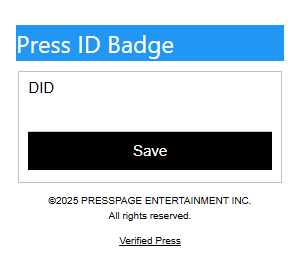
-
Using the sample decentralized identity (DiD) in did.json, which is did:web:localhost:8082 to enter for the DID in the popup.
-
Upon saving the DiD is populated in the index.php page (if the DID field doesn’t populate, just reload the browser),
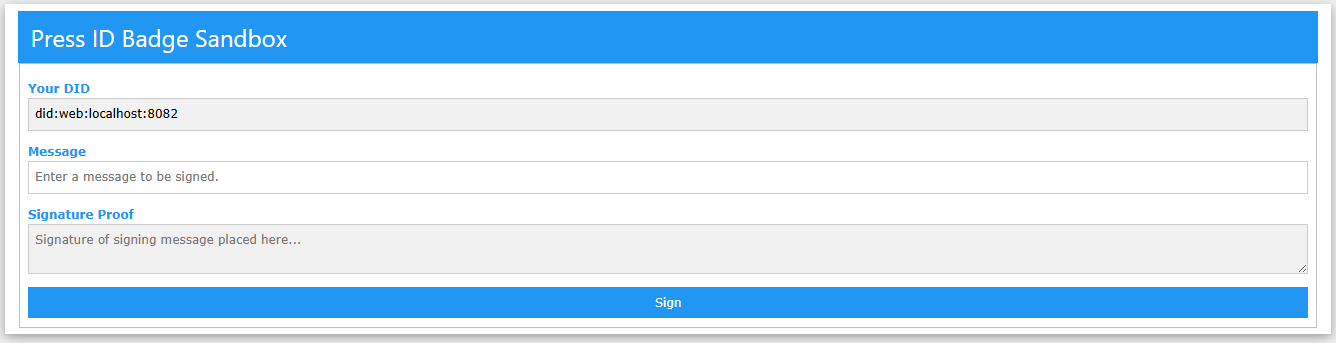
- Enter a message to be signed in the entry field,
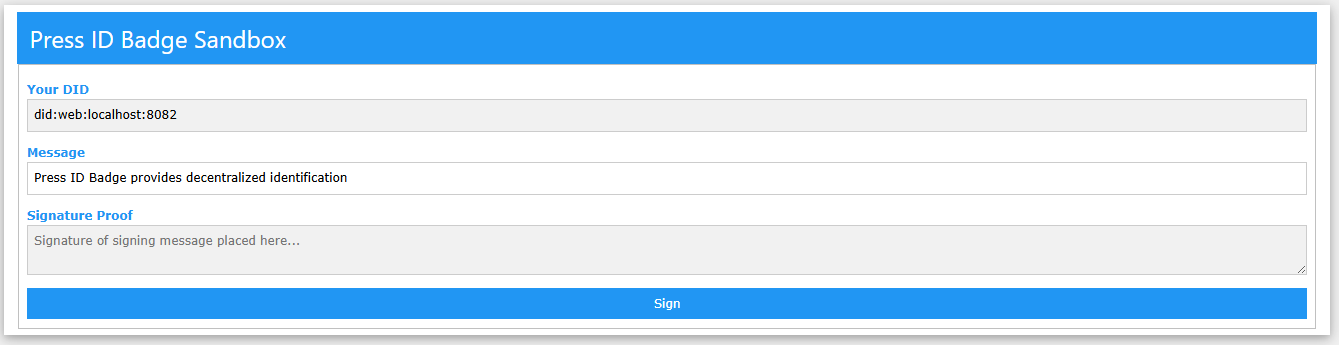
- Now you can sign the message by selecting the private key file and pressing the Sign button above,
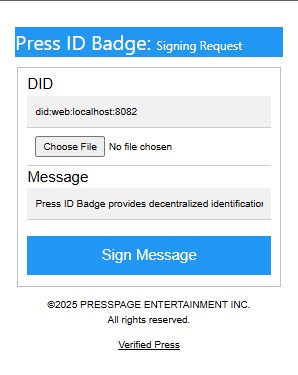
- Choose your private key PEM file,
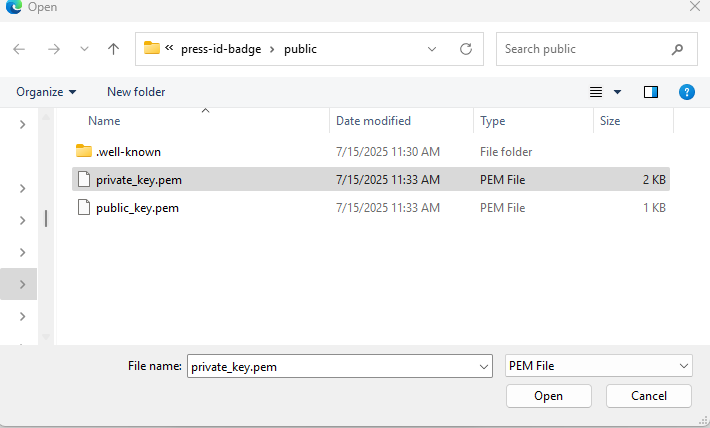
- Press the Sign Message button,
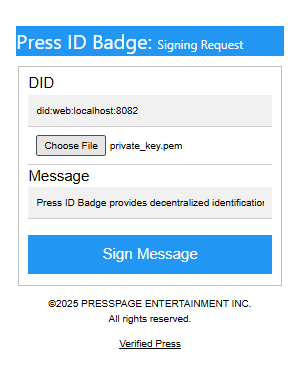
- The Signature will be populated,
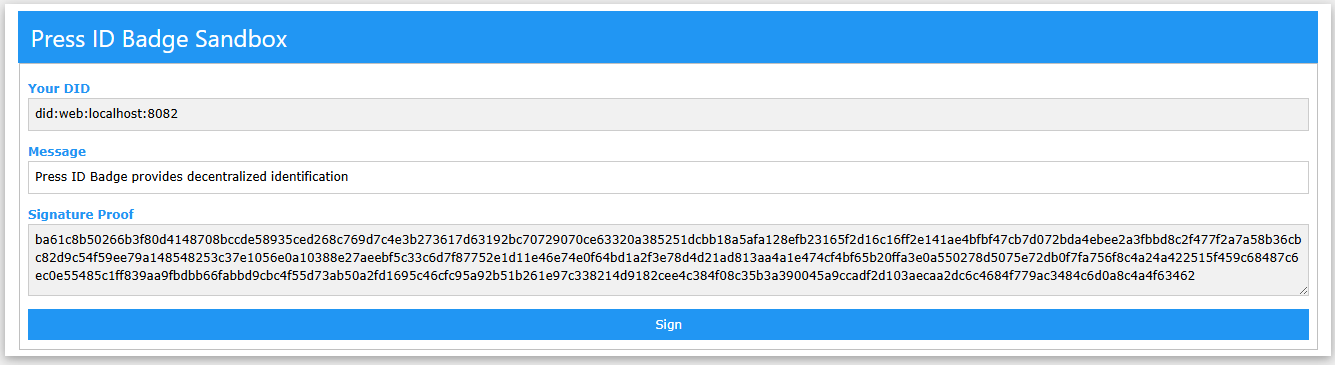
now can you can process the DiD and Signature for your login logic?
- Adding an authenticate.php file to process with a submit button on the index.php,
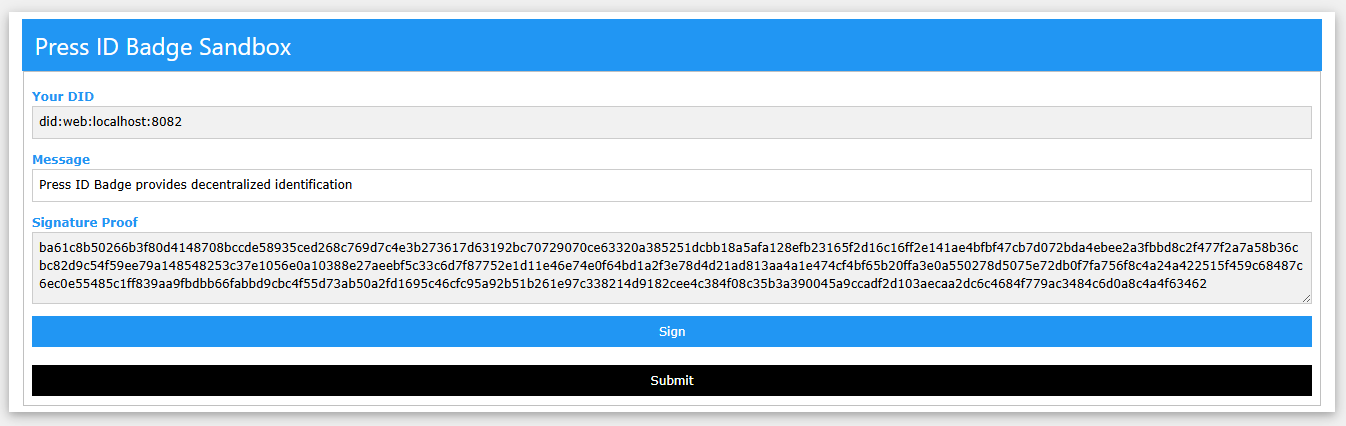
- The remote copy of the public_key.pem is used to verify the signature against the message,

with an updated verification confirmation,

- Using a custom JwkVerifier class, that can verify a JWK without using openssl_* functions to verify a JWK against a signature and message,
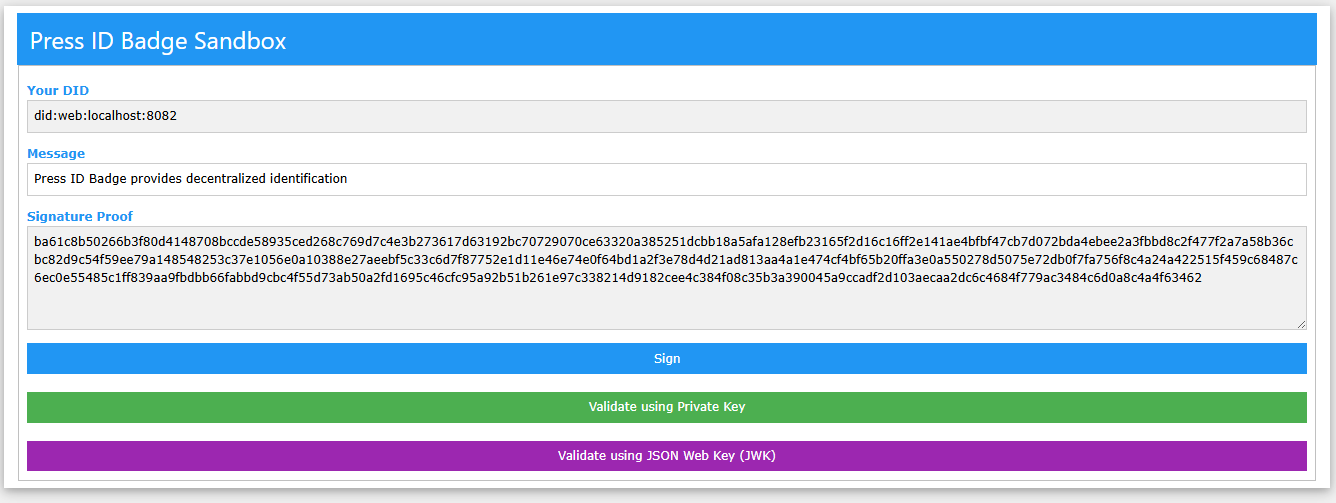
- The verification confirmation for JWK,

NOTE: in the .well-known/did.json, the ~JWK and~ Public Key has been replaced with a public link for the public_key.pem certificate, as the openssl_verify will fail when the public_key is passed as a string or decoded from a JWK, but works when file_get_contents(
- If signing a message with a different identity private key wil fail during the verification because the identity that is being verified against is located on github.com. This process simulates an attempt to access using a public DID but with a different private key. The server varification uses the registered did.json which contains the JWK public key for verification.
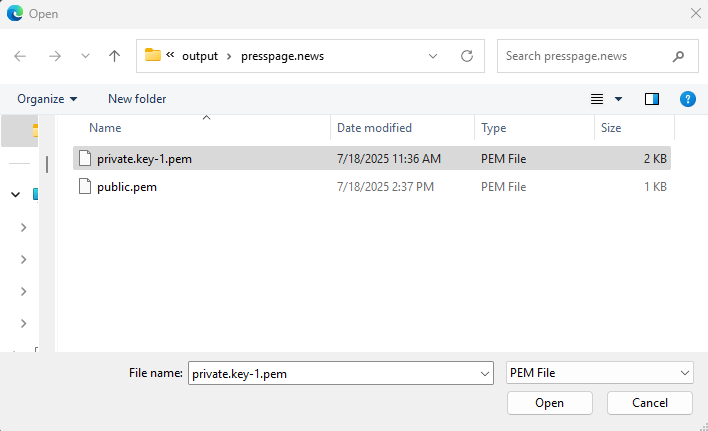
- You see the signature is different from previous valid signatures.
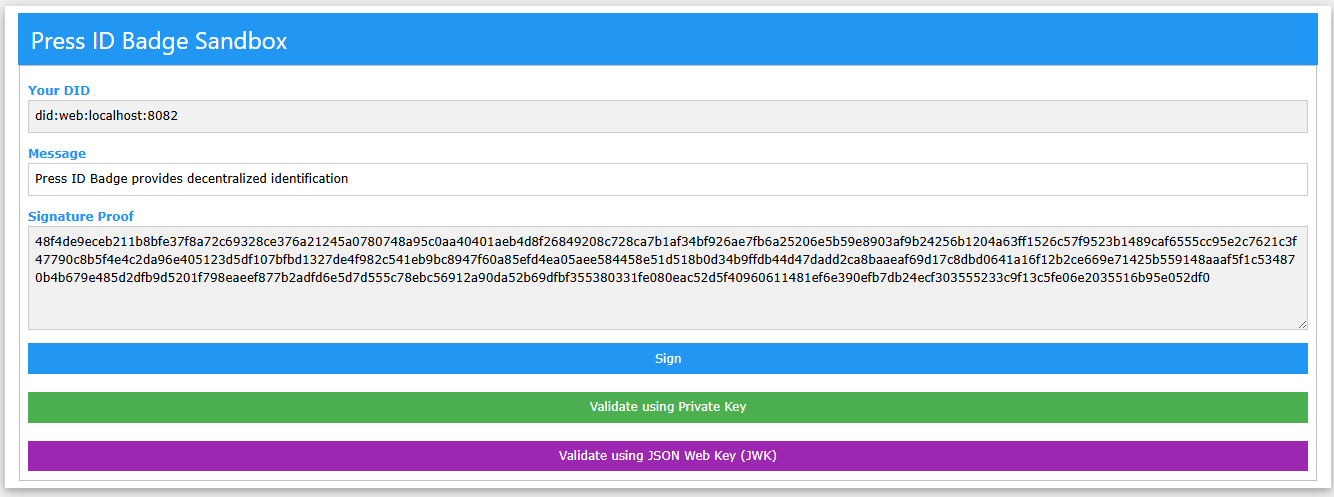
- The verification fails because the server is using the github.com public key to verify.

- Verifying using openssl also yields an invalid signature

Testing on Safari
DUE TO PERMISSION ISSUES, SAFARI USERS MUST COPY AND PASTE THE PRUVATE KEY FOR SIGNING Running from localhost, copy the private key,
-----BEGIN PRIVATE KEY-----
MIIEvgIBADANBgkqhkiG9w0BAQEFAASCBKgwggSkAgEAAoIBAQDTvSRGI/deCuYS
F+fxsL2dRa+vMjK0n2bBx7WE3gEZxLvwtkugjukjh+EGNfJgW2K3I1S9c6nUwndi
c7qfPS5GboHTPNGp/UPY/quRU3BroiH0NH0ikZAePehnUc+9mb1QDKTaR3t/teXZ
3jB1Ls7lBgfJOHI5tXZt+0unkl6R5ONzFIwGvus3GTb/Rukm/bijauH69FMp9WNz
QMQpZDeK8mGp65vMxTFA4pPoOh6ijMi+CRA3sIGyJC6IrNNF4v4/PRxE1RwqzG1g
It9l52YFg/D6HsCkkcICg3Xu8N8GZfE1j+0BSS4uXfU1WNKzxSF6D4jLKTho3bUb
m+M8A7p7AgMBAAECggEAFO4KiA0Qa9Ew+n3hdWBumygNxzLI6gDNs/734EPfoPqe
R0YwcJUKfPLMBASmH5njm/htQnLh8+rVyTto/vTvE5LjLgxs1Ib5Q28Hv4xGExBK
Qezu/Pvy3oJpFs7H9apyQ6zpnhKt0FXHJtjnOlYfqRTbr9YZYxSfDx0QK+bJ3AAx
YrQeEBFLWjz79MBkvPSz4AHEk6wqfP8mChK/cyxUE43BqVLkLilZ5djthDmzZ70S
KZCgN2vmhbwvf0CVj/29PYR/VMzNcrFYYyhxWjK96tndaPkpt0gE60UORsRsWa24
Xn29TsFeVeUTQu/bgERqOMeoLu3zmzko1/yl70iZEQKBgQD+tkmznUckXnZAsn+4
kLsdsCH+AxKfioyhP30oBLJcAtvFxmy241H0DoWLBkpMgK6K9/QYG+Liga/RX4cJ
SlFqQvD9gem0itXAV4e550/3pT+BacjDDlEF/wHYZzFFbVFTYuDT664YrYXFk7S0
Xv1A7CifMFA5OKSKjtQZPr5usQKBgQDUzzoirXMwdi9/dkA7WtQTSRqr8Q4orgnU
dQCjEY6vDzl5ePK+6EUdBZIgA5BmqSFg7PgBSAZsdPFtWiVa48zbrfv8JUeQCBLZ
Py+sCfcrqRYu/7TCRglZepskSOvPBXr9q6my2mvt+2ybaG2t338gS3BIarC/Oq2l
xb0JbIl+6wKBgQDqDR0KVCJ0M+zbpGoicbPPIvMJU0+AlLKG1S0vYal3TRUf1iY9
pALBjbp+tmf9hl1cy11b7fv9AQhLD0mpasYHK74AZKkYwl6KIKRSWlAsEoeZZlgZ
jIU9Skcq0CABWONbCUfo0+8lNAXxOLna6FI0nwzwwldlTTw9KeOR0wrv8QKBgCRR
zbk3Yw5lTUvysZmvsbws4NlxhZoZweG5qkcqavCjp4p8wukkGQ+P8NV35kAvI1w4
dUc6tKXz+3RPS0rM0By5/+STtDf3uMfNCeTRupaAACI7T+1MKLJVw36Y1234oHoE
vyygLIVsQKfxVa60Ey0+0sX5N3sbl6FQMygVlw3LAoGBAJhtK5Za69+v73FRCPy/
T267Ac6Rj6H4kSpnjRQLKoUiTvIX23xz4Ea8SAAoOUH6P+YqtBjf7Ib9Ae0arq6A
BYj2/4+A3n4rNH2WOHP9y2aAnVV3S9m5POzaqX0+u3r0/HWxPeqjJVPUu5HowkNU
sCXUXuMBM7EetSk4mUbjCKXN
-----END PRIVATE KEY-----
then paste in the extension private key field,
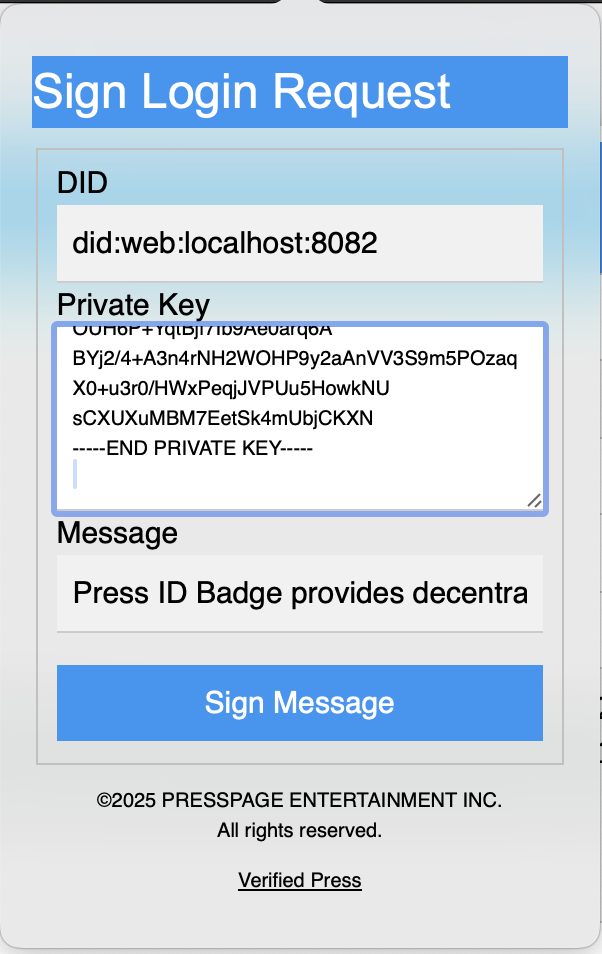
then press Sign Message button,
Implementing DID Credential Signing
The user must register with your service by providing their public DID and identity public URL which contains their public JWK for verification.
You must provide a message that you want to user to sign with their local private key and provide the signature of the message to your service so you can verify if they really sign using the public identity URL of the JWK, if they infact did sign with he corresponding private key, then they will pass verification. If they sign with a different private key, to simulate an imposter, then the verification will fail as shown above.
Effectively eliminating the userid-password-2fa model in the traditional sense, the userid is the public DID and the password is the signature of a message or metadata string provided by the service for the user to sign using their local private key.
Verification is perform on publicly accessible identity documents that were provided during a registration process.
The user is required to provide a publically accessible URL for the DiD identity document with the public_key.pem file. If the user does not have a public website, the easiest option is to create a free github.com repository and an assoicated gitpage for that repository, then provide the gitpage URL to the service. Only the public_key.pem is available on git pages, keeping the private key used for signing messages locally and safe. DO NOT UPLOAD THE PRIVATE KEY TO GITHUB!
Quickstart on Mobile
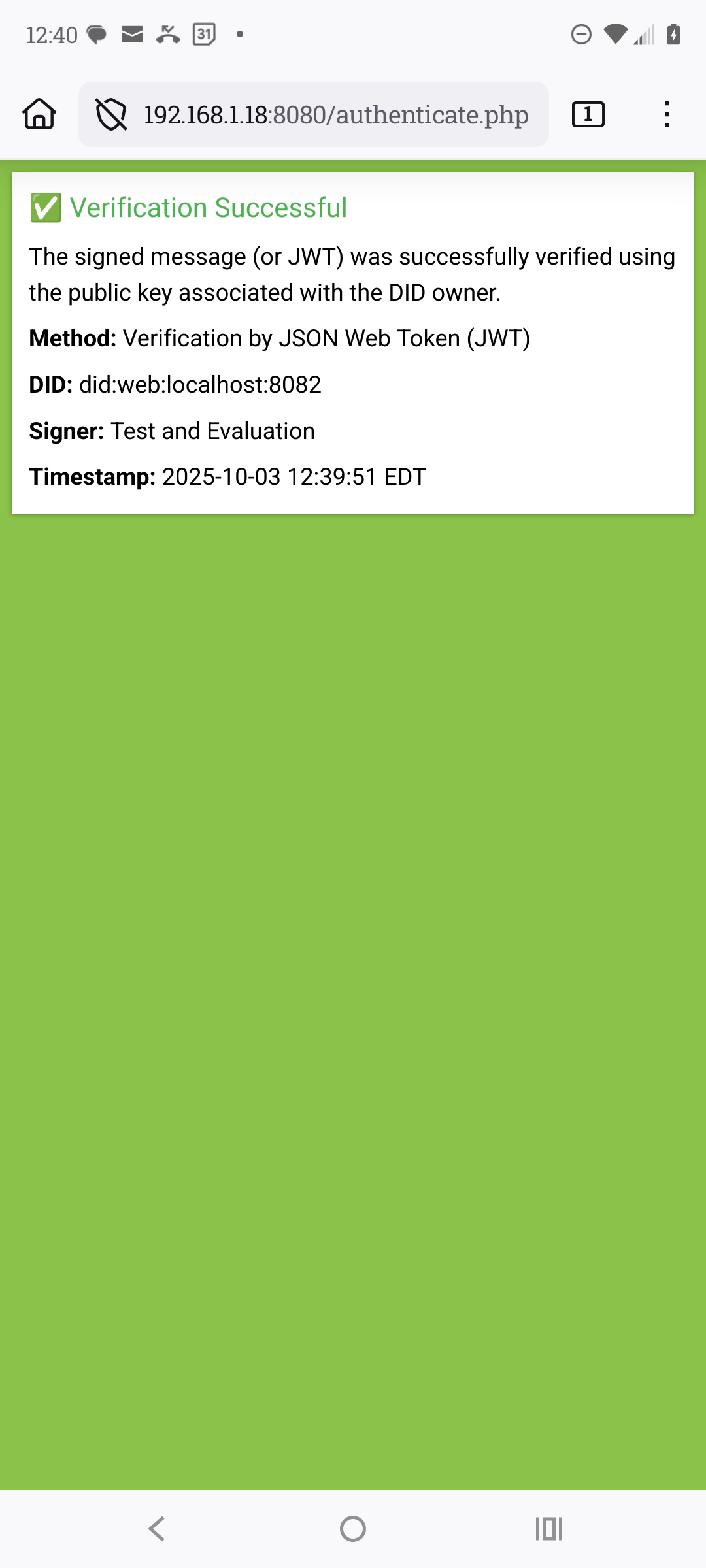
Keeping your private key on your mobile device is not secure, instead using a JSON Web Token (JWT) that is signed using your private key, the JWT can be authenticated against the public key. The payload for the JWT will contain your DID and Expiry at a minimum. See JSON Web Token tool for more information.
- Obtain your local IP assigned by your router
ipconfig | ifconfigresults,
IPv4 Address. . . . . . . . . . . : 192.168.1.18 - Start the PHP server from the public/ directory using the IP identified with port 8080,
php -S 192.168.1.18:8080 -t . - From your mobile device on the same network, navigate to http://192.168.1.18:8080, replacing the IP address identifyed on your network. Use http:// and NOT https:// when accessing the sandbox.
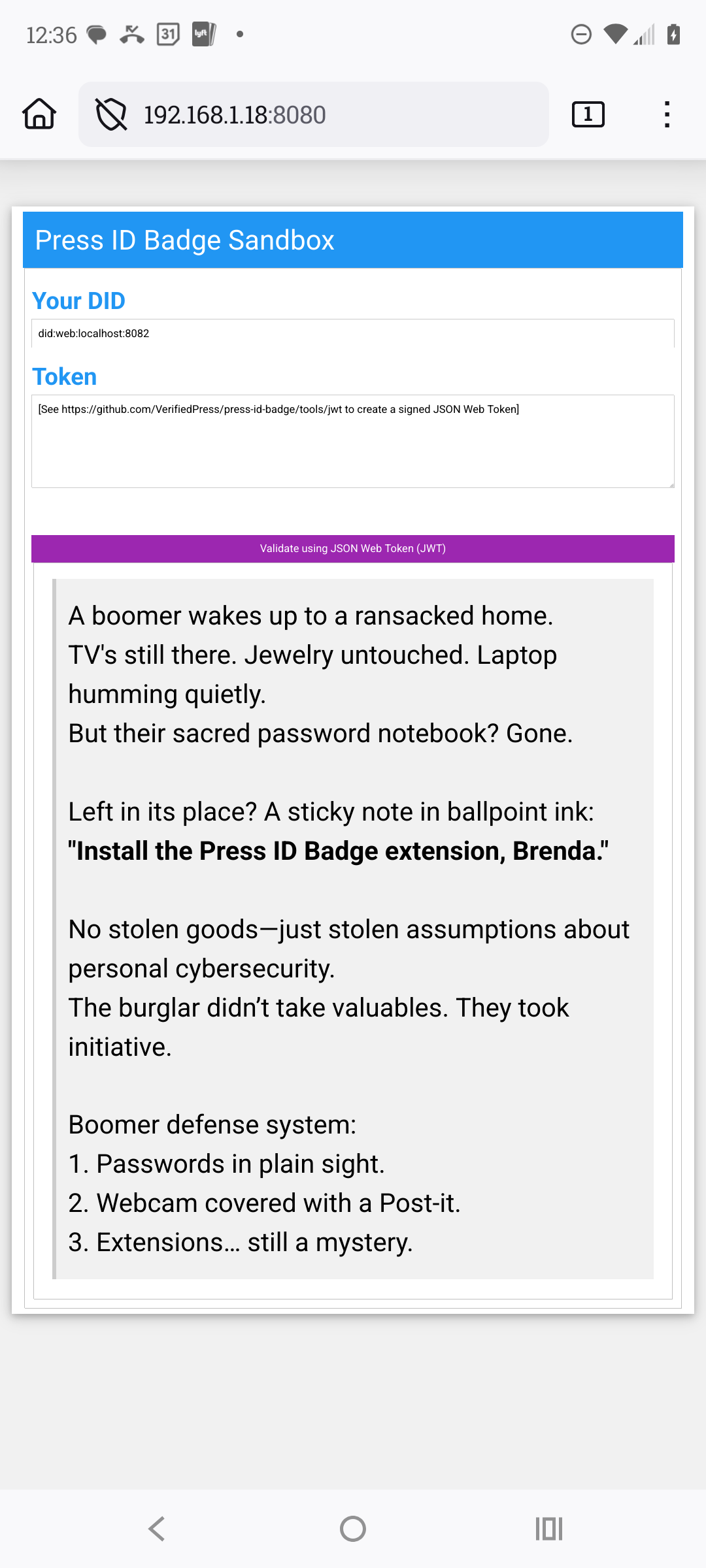
- You need to create a JWT for this sandbox,
cd ../tools/jwk
npm install
npm start
a new file name jwk has been created.
- Refresh your mobile session,
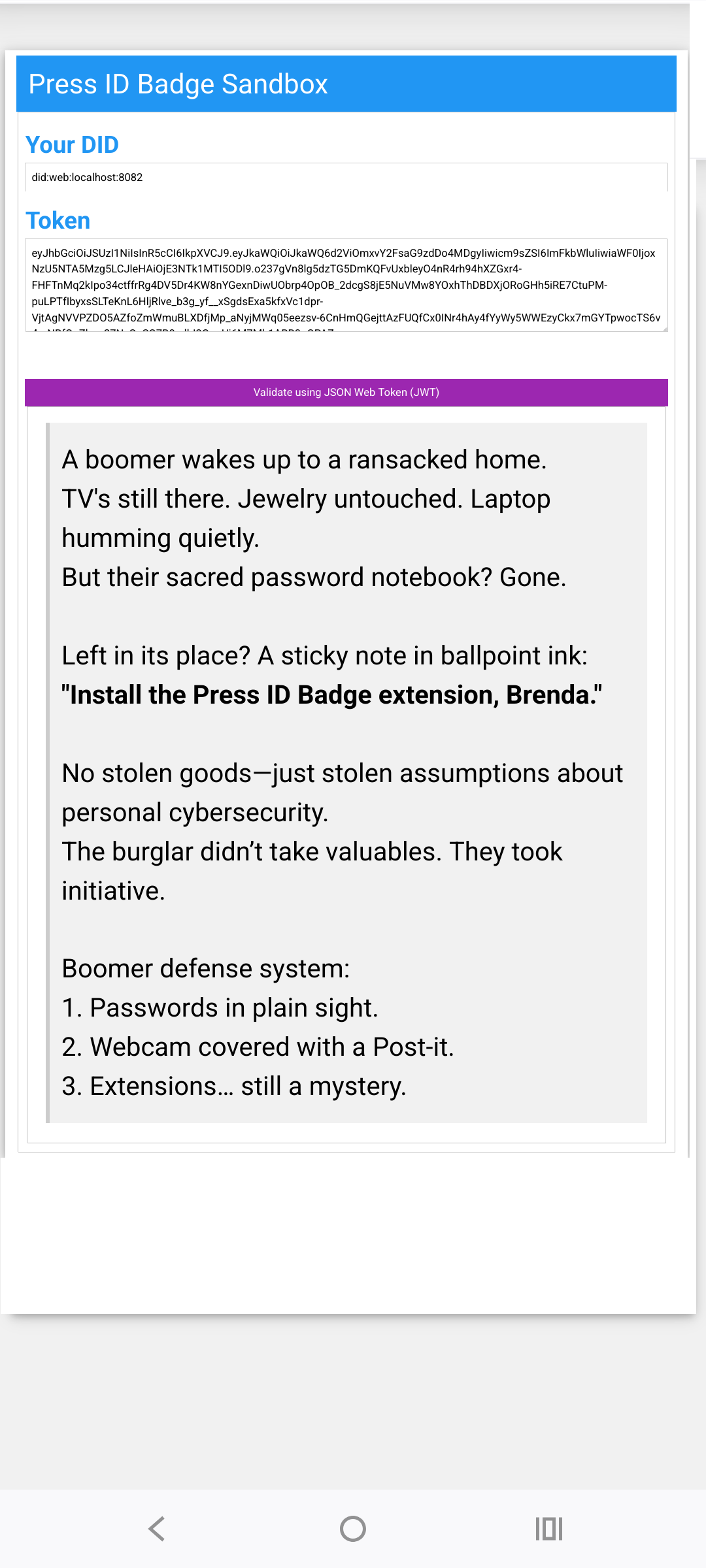 the token will be loaded automatically. In a production environment, you will need to copy and past the token.
- Pressing the Validate button
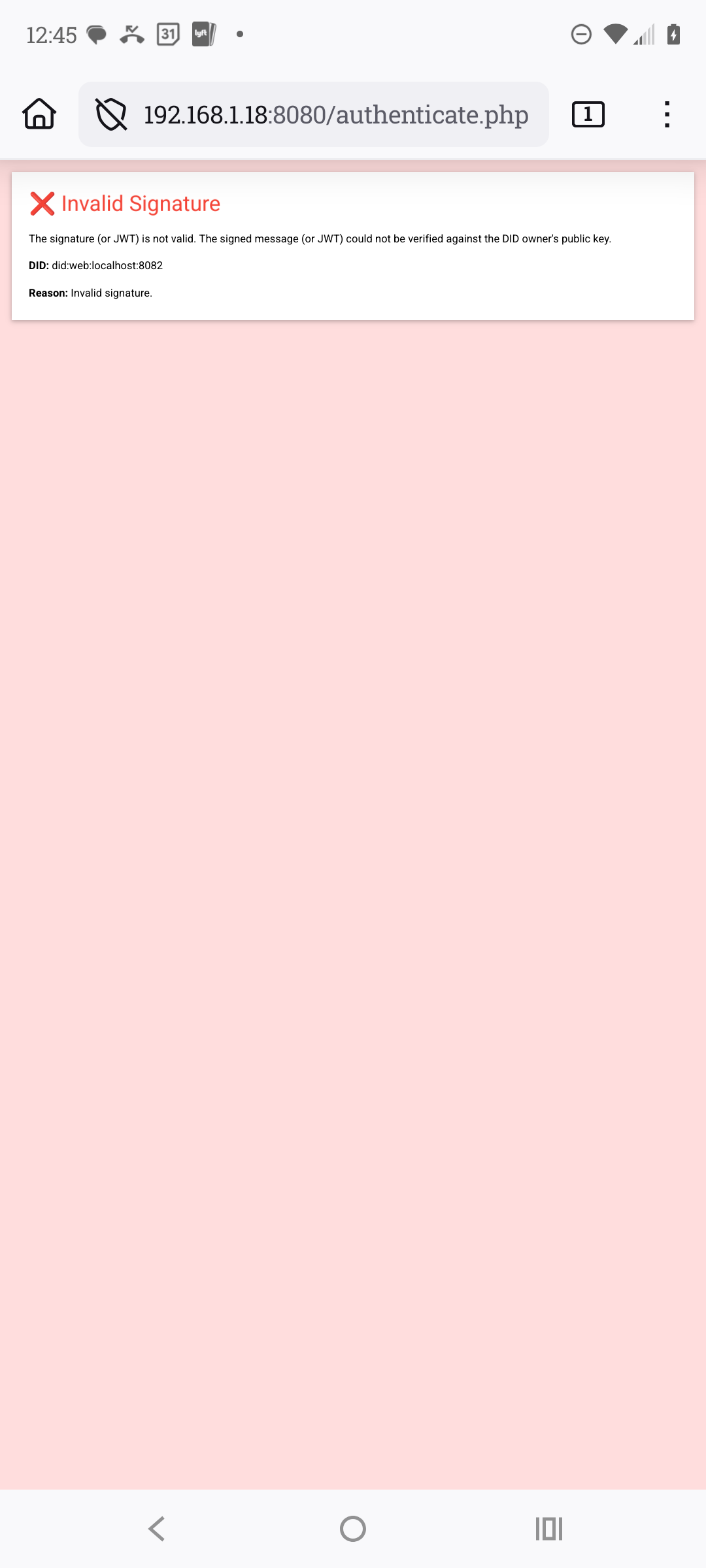
- To simulate an error, edit the ../tools/jwk/jwk and change the last letter and save.
Overview
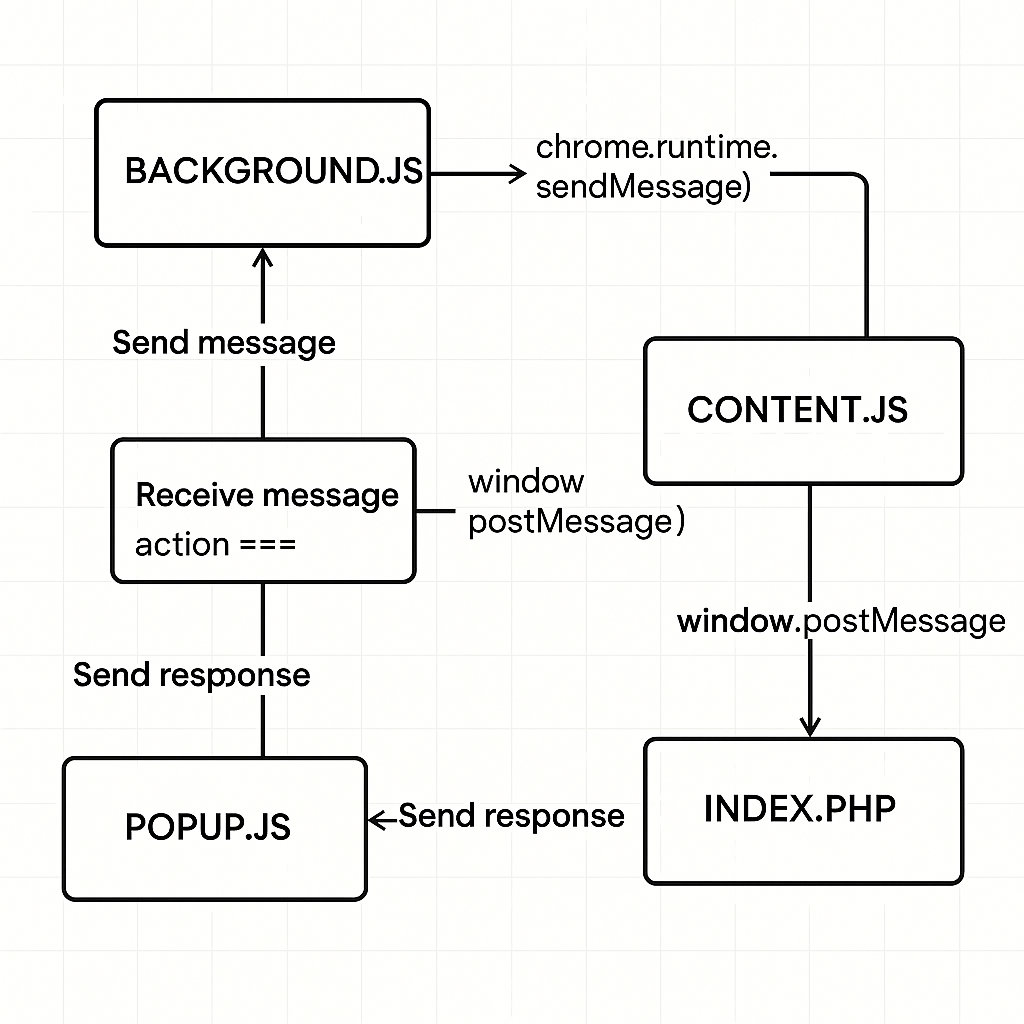
An example of direct DOM manipulation of the index.php (public facing page) from content.js (extension file),
in the manifest.json,
...
 "content_scripts": [
        {
            "matches": [
                "<all_urls>"
            ],
            "js": [
                "scripts/content.js"
            ],
            "run_at": "document_start"
        }
    ],
...
in the index.php (publicly hosted or using php -S localhost:8080 -t index.php),
<p>
  <label for="userid"><b>User ID</b></label>
  <!-- setting the field readonly, thereby only the plugin can update the field -->
  <input id="userid" name="userid" type="text" readonly required>
</p>

<script>
  window.onload = function() {
    window.postMessage({command: "GET_USER_PARAMS"}, "*");
  }
</script>
in the content.js,
<script>
window.addEventListener("message", async function (event) {
  if (event.source !== window) return;
  if (!event.data || typeof event.data !== "object") return;

  if (event.data.command === "GET_USER_PARAMS") {
      // user credentials are saved in chrome storage datastore name credentials
      chrome.storage.sync.get("credentials").then(function(res, err){
        // content.js ONLY can manipulate the index.php DOM directly
        document.getElementById("userid").value = res.credentials.userid;
      }
  }
}
</script>
Use Cases for READONLY INPUT field
- Verified Identity Injection
- Purpose: Populate the field with a verified Decentralized Identifier (DID) or credential.
- Flow: Extension retrieves user’s signed credential → content.js injects userid value.
- Benefit: Prevents user tampering; ensures trust in identity.
- Single Sign-On (SSO) Binding
- Purpose: Use DID or signed ID for authenticating into external services.
- Flow: content.js fills in userid upon credential verification → backend uses it to bind sessions.
- Benefit: Seamless login experience with secure identity mapping.
- Proof of Source for Journalism or Publishing
- Purpose: Auto-populate userid to verify authorship or claim origin.
- Flow: On content creation or claim submission, the extension populates userid with signer info.
- Benefit: Cryptographically links user to content source without manual input.
- Role-Based Access in Platform Workflows
- Purpose: Inject roles (e.g. “publisher”, “editor”, “driver”) based on credential context.
- Flow: Extension detects role → fills userid with appropriate structured ID tag.
- Benefit: Enables server-side gating or feature toggling per role without trusting client input.
- Credential Proof for Rideshare or Insurance Applications
- Purpose: Set userid from a credential to prefill eligibility forms.
- Flow: Extension detects and verifies credential → injects into form field.
- Benefit: Reduces fraud, simplifies user experience, and enables trust-based automation.
- Secure Plagiarism Attribution
- Purpose: Identify the originator or verifier of AI-generated content.
- Flow: Plugin injects userid as credential signer during submission or review.
- Benefit: Creates tamper-proof audit trail and author accountability.
🧩 Component Contexts & Relationships
| Component | Execution Context | Access to index.php DOM |
Window Access | Chrome API Access | Messaging Role |
|---|---|---|---|---|---|
index.php |
Public Web Page | ✅ Full access | ✅ Yes | ❌ None | 🟡 Receives postMessage from content.js |
content.js |
Injected into index.php |
✅ Full access | ✅ Yes | ⚠️ Limited | 🔄 Bi-directional with background.js and popup.js |
background.js |
Extension Service Context | ❌ No access | ❌ No | ✅ Full | 🔄 Routing & persistent logic |
popup.js |
Runs in popup.html |
❌ No access | ✅ Yes | ⚠️ Limited | 🔄 Receives messages from background.js |
🔀 Messaging Flow (Simplified)
Though popup.js can send messages to content.js via the window.postMessage().
index.php ←→ content.js ←→ background.js ←→ popup.js
          ↑               ↑                    ↓
       postMessage      sendMessage        sendMessage
Developing with Press ID Badge Extension
The Press ID Badge extension provides the mechanics to sign a message with a private key and then set a DOM object id with that signature. The minimum configuration for a public facing page with Press ID Badge extension are one input or hidden fields (with value attribute) with the assigned id’s of “did”, case-sensitive, and a message listener for the “SIGNATURE_READY” event.
The “did” element represents the Decentralized Identification obtain from the .well-know/did.json document and saved in chrome.storage, the signature is sent back to the public facing page via the message event of “SIGNATURE_READY”.
<input type="text" id="did">
create a message listener,
window.addEventListener("message", async function (e) {
    if (!e.data || typeof e.data !== "object") return;

    console.log(e);

    if (e.data.type === "SIGNATURE_READY") {
        const { signature } = e.data;
        console.log(signature);
        // process the signature
        document.getElementById("proof").value = signature.signature;
    }
});
Absolutely—here’s an expanded comparison of Technologies by Phase from Web1 through Web9, including speculative future layers like quantum computing and bio-digital convergence:
🌐 Technologies by Phase (Web1 → Web9)
| Web Version | Era | Core Technologies |
|---|---|---|
| Pre-Web | ~1978–1990 | BBS, dial-up, Usenet, forums, early chatrooms |
| Web1 | ~1990–2004 | HTML, HTTP, static websites, basic hyperlinks |
| Web2 | ~2004–2020 | JavaScript, AJAX, REST APIs, social platforms, mobile apps |
| Web3 | ~2020–2025 | Blockchain, smart contracts, DIDs, Verifiable Credentials, IPFS, crypto wallets |
| Web4 | Emerging | AI/ML, IoT, AR/VR, edge computing, brain–computer interfaces |
| Web5 | Visionary | DIDs, Decentralized Web Nodes (DWNs), JSON-LD, identity wallets, no tokens |
| Web6 | Speculative | Autonomous AI agents, synthetic identities, self-evolving protocols, emotional UX |
| Web7 | Conceptual | Quantum computing, quantum-safe encryption, entangled communication |
| Web8 | Futuristic | DNA-based data storage, bio-digital interfaces, neural mesh networks |
| Web9 | Post-human | Digital consciousness, synthetic life, virtual civilizations, AI governance |
🧠 Highlights of the Future Webs:
- Web6: AI entities act independently, negotiate, and transact—possibly credentialed like humans.
- Web7: Quantum internet enables ultra-secure, instantaneous communication.
- Web8: Biological computing merges with digital systems—think DNA as a hard drive.
- Web9: Entirely synthetic ecosystems where digital beings govern and evolve autonomously.
⚠️ Development Key Disclaimer
IMPORTANT
The public and private keys provided in this repository are strictly for evaluation and development purposes only.
These keys are not secure and must not be used in any production, public-facing, or identity-critical environment.Any misuse may expose your application to serious cryptographic vulnerabilities.
🛡️ For real-world deployments, always generate fresh key pairs using industry-approved methods and manage them securely.